 Alex X
39 lines
1.6 KiB
Markdown
39 lines
1.6 KiB
Markdown
## Stream as ASCII to Terminal
|
|
|
|
[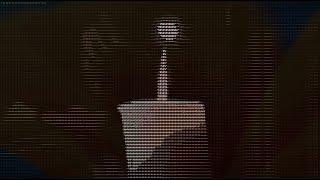](https://www.youtube.com/watch?v=sHj_3h_sX7M)
|
|
|
|
**Tips**
|
|
|
|
- this feature works only with MJPEG codec (use transcoding)
|
|
- choose a low frame rate (FPS)
|
|
- choose the width and height to fit in your terminal
|
|
- different terminals support different numbers of colours (8, 256, rgb)
|
|
- escape text param with urlencode
|
|
- you can stream any camera or file from a disc
|
|
|
|
**go2rtc.yaml** - transcoding to MJPEG, terminal size - 210x59 (16/9), fps - 10
|
|
|
|
```yaml
|
|
streams:
|
|
gamazda: ffmpeg:gamazda.mp4#video=mjpeg#hardware#width=210#height=59#raw=-r 10
|
|
```
|
|
|
|
**API params**
|
|
|
|
- `color` - foreground color, values: empty, `8`, `256`, `rgb`, [SGR](https://en.wikipedia.org/wiki/ANSI_escape_code)
|
|
- example: `30` (black), `37` (white), `38;5;226` (yellow)
|
|
- `back` - background color, values: empty, `8`, `256`, `rgb`, [SGR](https://en.wikipedia.org/wiki/ANSI_escape_code)
|
|
- example: `40` (black), `47` (white), `48;5;226` (yellow)
|
|
- `text` - character set, values: empty, one char, `block`, list of chars (in order of brightness)
|
|
- example: `%20` (space), `block` (keyword for block elements), `ox` (two chars)
|
|
|
|
**Examples**
|
|
|
|
```bash
|
|
% curl "http://192.168.1.123:1984/api/stream.ascii?src=gamazda"
|
|
% curl "http://192.168.1.123:1984/api/stream.ascii?src=gamazda&color=256"
|
|
% curl "http://192.168.1.123:1984/api/stream.ascii?src=gamazda&back=256&text=%20"
|
|
% curl "http://192.168.1.123:1984/api/stream.ascii?src=gamazda&back=8&text=%20%20"
|
|
% curl "http://192.168.1.123:1984/api/stream.ascii?src=gamazda&text=helloworld"
|
|
```
|